SaaS vs Custom Software Development: Which One Saves More Money? (2026 Guide)
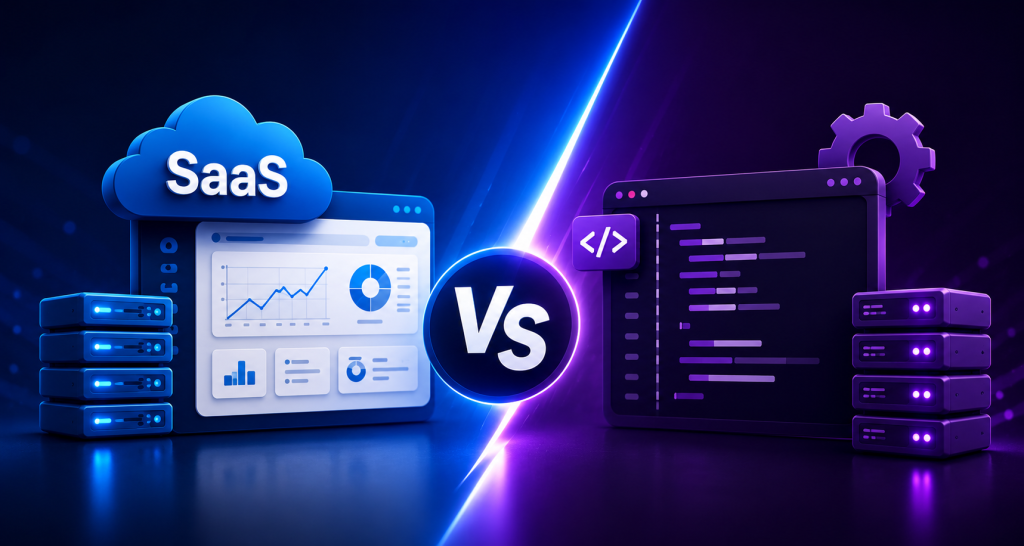

Choosing between SaaS vs custom software development is mainly a question of cost, control, speed, and long-term business value.
SaaS usually saves more money at the beginning because businesses can start with a monthly or annual subscription instead of funding an entire software development process. Custom software development requires a larger upfront investment, but it can become more cost-effective for companies with complex workflows, high user volumes, or unique automation requirements.
So, which one actually saves more money?
The short answer is simple: SaaS is usually cheaper for startups and businesses with standard requirements. Custom software may deliver a better long-term return on investment when a company needs complete ownership, advanced customization, predictable scaling, or software built around its own business processes.
However, there is also a third option gaining attention in 2026: ready-made software that businesses can purchase, customize, and deploy on their own infrastructure.
In this SaaS vs custom software development guide, we will compare software development cost, deployment time, maintenance, scalability, security, customization, performance, ownership, and long-term ROI.
By the end, you should have a clearer idea of which software solution makes financial sense for your business.
What Is SaaS?
SaaS, or Software as a Service, is a software delivery model where an application is hosted by a provider and made available to customers over the internet.
Users normally access a SaaS application through a web browser or mobile application. Instead of purchasing the complete software source code, customers usually pay a recurring monthly or annual subscription.
Common SaaS products include customer relationship management systems, project management tools, accounting platforms, employee management applications, email marketing systems, and business management software.
A typical SaaS platform includes:
• Cloud-based hosting
• Subscription software pricing
• Centralized software updates
• User account management
• Data storage
• Automatic maintenance
• Browser-based access
• API integrations
The SaaS provider normally manages the application infrastructure, deployment, updates, and core software security.
This model allows businesses to start using business software without managing the complete application development lifecycle.
Simple SaaS Definition
SaaS is cloud software that users access through the internet and usually pay for through a recurring subscription.
The provider hosts and maintains the application, while customers use the available features based on their selected plan.
What Is Custom Software Development?
Custom software development is the process of designing and building a software application specifically for the requirements of a particular business or organization.
Unlike a standard SaaS application, custom business software is developed around specific workflows, business rules, integrations, user roles, and operational requirements.
For example, a logistics company may need a custom application that combines fleet tracking, driver management, route planning, customer billing, and internal reporting.
A standard SaaS platform may provide some of these features. However, it may not match the company’s exact software implementation requirements.
The custom software development process usually includes:
• Business requirement analysis
• Technical planning
• Software architecture design
• UI and UX design
• Backend development
• Frontend development
• Database development
• API integration
• Software testing
• Security testing
• Deployment
• Software maintenance
Custom software can be developed as a web application, desktop application, mobile application, cloud software platform, or enterprise solution.
Modern development teams may also use frameworks such as Laravel to create secure and maintainable web application development projects.
Simple Custom Software Definition
Custom software is an application built specifically for one company’s requirements.
The business defines the features, workflows, integrations, architecture, and user experience instead of adapting its processes to a standard software product.
How SaaS Works
A SaaS application is usually hosted on cloud infrastructure and managed by the software provider.
Customers create an account, select a subscription plan, and access the application through the internet.
The basic SaaS process looks like this:
- The software company develops a SaaS platform.
- The application is deployed to a cloud infrastructure.
- Customers register for an account.
- Customers choose a subscription plan.
- Users access the software through a browser or application.
- The provider manages updates and core infrastructure.
- Customers continue paying based on the selected pricing model.
Many SaaS products use a multi-tenant software architecture.
In a multi-tenant architecture, multiple customers use the same core application infrastructure. Customer accounts and business data are logically separated through the software architecture and database design.
This architecture can reduce infrastructure and software maintenance costs for the SaaS provider.
Common SaaS Pricing Models
A SaaS application may use several pricing models.
Common examples include:
• Per-user pricing
• Feature-based pricing
• Usage-based pricing
• Monthly subscriptions
• Annual subscriptions
• Freemium plans
• Enterprise contracts
The pricing model has a major impact when comparing SaaS vs custom software development costs.
A SaaS product charging $20 per user may appear inexpensive for a team of 10 employees. The same pricing model can become a significant recurring expense when a company grows to 500 or 5,000 users.
How Custom Software Development Works
Custom software development starts with business requirements rather than an existing software product.
The development team first studies how the business operates.
Developers, product managers, business analysts, and stakeholders identify the problems the new software solution should solve.
The software development process may follow these stages.
1. Requirement Analysis
The development team documents business requirements.
This may include:
• User roles
• Business workflows
• Reporting requirements
• Third-party integrations
• Automation rules
• Security requirements
• Performance expectations
• Software scalability requirements
Clear requirements can reduce unnecessary development work and control the software development cost.
2. Software Architecture
Developers design the technical architecture of the application.
Architecture decisions may include:
• Programming language
• Application framework
• Database structure
• Cloud infrastructure
• API architecture
• Authentication system
• Caching strategy
• Queue processing
• File storage
• Backup systems
A scalable architecture is especially important for enterprise software and high-growth startup software.
3. UI and UX Design
Designers create the application interface and user experience.
Wireframes and prototypes help stakeholders review workflows before development begins.
4. Application Development
Developers build the frontend, backend, database, and integrations.
For a Laravel software project, developers may use Laravel for backend application development while integrating modern frontend technologies, payment gateways, cloud services, and third-party APIs.
5. Testing and Quality Assurance
The software is tested for:
• Functional problems
• Security vulnerabilities
• Performance issues
• Browser compatibility
• Mobile responsiveness
• Integration failures
• User experience problems
6. Deployment
The completed web application is deployed to the production infrastructure.
Deployment may involve cloud servers, container infrastructure, load balancing, database configuration, monitoring systems, and backup solutions.
7. Maintenance and Improvement
Custom software requires ongoing software maintenance.
Developers may fix bugs, update dependencies, improve security, optimize performance, and develop new features as business requirements change.
SaaS vs Custom Software Development: Major Differences
The biggest differences between SaaS vs custom software development involve cost structure, ownership, customization, deployment time, and technical control.
SaaS vs Custom Software Comparison
| Factor | SaaS | Custom Software |
| Initial Cost | Usually low | Usually high |
| Payment Model | Subscription | Development investment |
| Launch Time | Hours or days | Weeks or months |
| Customization | Limited | Extensive |
| Source Code Ownership | Usually vendor-owned | Depends on contract |
| Infrastructure Control | Limited | High |
| Maintenance | Provider managed | Business managed |
| Scalability | Provider dependent | Architecture dependent |
| Integrations | Available APIs | Custom integrations |
| Security Control | Provider managed | Business controlled |
| Software Licensing | Subscription terms | Custom ownership terms |
| Performance Control | Limited | Extensive |
Neither model is automatically better.
The right choice depends on how closely the software must match your business operations.
SaaS vs Custom Software Development Cost Comparison
SaaS normally has a lower initial cost, while custom software development requires a larger upfront investment. However, the total cost of ownership can change significantly over three, five, or ten years.
This is one of the most important factors in the SaaS vs custom software development debate.
Cost Comparison
| Cost Factor | SaaS | Custom Software |
| Initial Investment | Low | Medium to high |
| Subscription Cost | Recurring | Usually none |
| Development Cost | Included in service | Paid by business |
| Hosting | Usually included | Business responsibility |
| Maintenance | Usually included | Ongoing cost |
| Custom Features | Limited or extra | Can be developed |
| User Scaling Cost | May increase | Infrastructure dependent |
| Migration Cost | Possible | Depends on architecture |
Understanding SaaS Costs
Suppose a business uses a SaaS application that costs $30 per user per month.
For 20 users:
$30 × 20 × 12 = $7,200 per year
If the company grows to 100 users:
$30 × 100 × 12 = $36,000 per year
Over five years, subscription software costs can become significant.
However, the SaaS provider may also be covering infrastructure, updates, software maintenance, support, and security operations.
Businesses should compare total value rather than looking only at the subscription fee.
Understanding Custom Software Development Costs
Custom software development costs may include:
• Product planning
• UI and UX design
• Backend development
• Frontend development
• Mobile application development
• API development
• Quality assurance
• Project management
• Cloud infrastructure
• Security testing
• Maintenance
The initial investment is usually higher because the business is funding the application development process.
However, the company may avoid per-user software licensing fees.
For a growing organization, this can change the long-term cost calculation.
Development Time Comparison
SaaS is almost always faster to deploy because the core software already exists.
A custom web application must go through planning, design, development, testing, and deployment.
Time Comparison
| Stage | SaaS | Custom Software |
| Initial Setup | Hours to days | Weeks |
| Configuration | Days | Included in development |
| Development | Not required | Weeks to months |
| Testing | Provider managed | Project specific |
| Deployment | Fast | Planned deployment |
| New Custom Features | Provider dependent | Development required |
When Speed Matters
A startup launching a new business may not have six months to develop business software.
In this situation, a SaaS application or ready-made software may be more practical.
Ready-made software creates an additional option between subscription SaaS and development from scratch.
For example, businesses can explore ready-made Laravel SaaS solutions from ViserLab when they need an existing software foundation that can be deployed and customized instead of developing every core module from zero.
The suitability of this approach still depends on licensing terms, technical requirements, and the amount of customization needed.
Maintenance Cost Comparison
SaaS providers normally manage software maintenance as part of the subscription.
Custom software owners must plan and budget for ongoing maintenance.
Maintenance Comparison
| Maintenance Area | SaaS | Custom Software |
| Core Updates | Provider | Development team |
| Bug Fixes | Provider | Business or vendor |
| Server Maintenance | Usually provider | Business |
| Dependency Updates | Provider | Development team |
| Security Patches | Provider | Business responsibility |
| Monitoring | Provider | Must be configured |
| Backups | Provider dependent | Business controlled |
The Hidden Cost of Software Maintenance
Software maintenance is often underestimated when companies calculate software development cost.
Applications depend on operating systems, programming frameworks, third-party APIs, databases, payment gateways, and cloud services.
These technologies change.
A payment provider may update its API.
A framework may release a security patch.
A browser update may affect a frontend component.
A third-party integration may become unavailable.
Custom software requires technical resources to manage these changes.
SaaS customers transfer much of this responsibility to the provider.
SaaS vs Custom Software Scalability
Both SaaS and custom software can scale, but the business has different levels of control.
SaaS scalability depends largely on the provider’s infrastructure, pricing plans, usage limits, and application architecture.
Custom software scalability depends on how the application was designed and implemented.
Scalability Comparison
| Scalability Factor | SaaS | Custom Software |
| Add Users | Usually easy | Application dependent |
| Infrastructure Control | Limited | High |
| Database Optimization | Provider managed | Fully controllable |
| Geographic Expansion | Provider dependent | Custom deployment |
| High Traffic Scaling | Plan dependent | Architecture dependent |
| Custom Performance Tuning | Limited | Extensive |
Software Architecture Matters
Custom software is not automatically scalable.
A poorly designed custom application may perform worse than a mature SaaS platform.
Software scalability requires proper technical decisions.
These may include:
• Database indexing
• Caching
• Queue processing
• Load balancing
• Horizontal scaling
• Content delivery networks
• Object storage
• Application monitoring
• Database replication
For enterprise software, scalability should be considered during the architecture stage rather than after performance problems appear.
SaaS vs Custom Software Security
SaaS security is primarily managed by the provider, while custom software gives the business greater control and greater responsibility.
Security Comparison
| Security Factor | SaaS | Custom Software |
| Security Updates | Provider managed | Business managed |
| Data Hosting | Provider environment | Business selected |
| Access Controls | Platform features | Fully customizable |
| Security Architecture | Provider controlled | Custom |
| Compliance Options | Provider dependent | Can be designed |
| Audit Control | Contract dependent | Higher control |
Is SaaS More Secure?
Not necessarily.
Established SaaS providers may have dedicated security teams, automated monitoring, security policies, and structured incident response processes.
This can be difficult for a small company to reproduce internally.
However, SaaS customers depend on the provider’s security architecture and data handling practices.
Is Custom Software More Secure?
Custom software can provide advanced security controls because the application can be designed around specific security requirements.
However, security depends on implementation quality.
Custom application security may require:
• Secure authentication
• Role-based access control
• Data encryption
• Secure API development
• Rate limiting
• Activity logging
• Dependency management
• Backup strategies
• Vulnerability testing
• Server hardening
Owning software does not automatically make it secure.
Security requires ongoing technical work.
Customization Comparison
Customization is one of the strongest advantages of custom software development.
A SaaS platform is designed for many customers. The provider must create features that work for a broad market.
Your business may need a different workflow.
For example, an auction business may require unique bidding rules, seller verification processes, commission calculations, and payment release conditions.
A standard SaaS application may not support these requirements.
A custom application can be designed around them.
SaaS Customization
SaaS customization may include:
• Custom fields
• Branding
• Workflow settings
• API integrations
• User permissions
• Automation rules
Advanced customization depends on the SaaS platform.
Custom Software Customization
Custom business software can support:
• Unique workflows
• Custom algorithms
• Industry-specific rules
• Internal approval systems
• Custom dashboards
• Proprietary integrations
• Specialized automation
Businesses should still avoid unnecessary customization.
Every custom feature increases development and software maintenance requirements.
Performance Comparison
Performance in SaaS vs custom software development depends primarily on architecture, infrastructure, application quality, and workload.
A mature SaaS platform may provide excellent performance because the provider has optimized the software across thousands of customers.
Custom software can also deliver strong performance when it is optimized for a specific business process.
For example, a custom enterprise solution may remove unnecessary modules and optimize database queries for specific operational workflows.
The important performance factors include:
• Application architecture
• Database design
• Server resources
• Caching
• Network latency
• Code quality
• API performance
• Traffic patterns
Businesses should not assume custom software is always faster or SaaS is always slower.
Performance should be evaluated technically.
Software Ownership and Control
Ownership is a major difference when evaluating SaaS vs custom software development.
With SaaS, customers normally purchase access to software.
They do not purchase the core application source code.
The SaaS provider controls:
• Product roadmap
• Core software architecture
• Feature releases
• Hosting environment
• Subscription pricing
• Software licensing terms
With custom software, ownership depends on the development agreement.
A company may own the source code and intellectual property, or a development vendor may retain certain rights.
Always review software licensing and intellectual property terms before starting a custom software project.
Why Ownership Matters
Software ownership can affect:
• Vendor dependency
• Future development
• Data migration
• Infrastructure decisions
• Software resale
• Intellectual property
• Business valuation
For companies building technology as a core business asset, ownership may be strategically important.
Long-Term ROI: Which Option Saves More Money?
SaaS often delivers a faster initial ROI because businesses can start using the software quickly.
Custom software may provide stronger long-term ROI when it creates measurable operational advantages.
The financial value of custom software can come from:
• Reducing manual work
• Automating repetitive processes
• Removing multiple software subscriptions
• Improving operational efficiency
• Supporting unique business models
• Reducing per-user licensing costs
Consider a company using five different SaaS products for CRM, billing, reporting, internal approvals, and customer management.
If these systems cost a combined $10,000 per month, the business spends $120,000 per year.
A custom business software platform may eventually consolidate several workflows.
However, the business must compare development, infrastructure, maintenance, migration, and support costs before investing.
Calculate Total Cost of Ownership
When comparing SaaS vs custom software development, calculate total cost of ownership over several years.
Include:
• Initial software cost
• Subscription fees
• Development costs
• Implementation costs
• Data migration
• Training
• Infrastructure
• Maintenance
• Support
• Security
• Future upgrades
A five-year cost comparison is often more useful than comparing the first month’s expenses.
Pros and Cons of SaaS
Advantages of SaaS
- Lower Initial Cost
Businesses can use a SaaS application without funding complete application development.
- Faster Implementation
Most SaaS products can be configured quickly.
- Provider-Managed Maintenance
The provider handles core software maintenance and updates.
- Easy Remote Access
Cloud-based software can usually be accessed from multiple locations.
- Predictable Subscription Pricing
Businesses can often estimate monthly software expenses.
Disadvantages of SaaS
- Recurring Costs
Subscription fees continue as long as the software is used.
- Limited Customization
Complex business workflows may not fit the platform.
- Vendor Dependency
Pricing, features, and product direction depend on the provider.
- Integration Limitations
Businesses may be restricted to available APIs.
- Data Portability Concerns
Moving data to another platform may require significant work.
Pros and Cons of Custom Software Development
Advantages of Custom Software Development
- Complete Workflow Customization
The application can match specific business processes.
- Greater Technical Control
Businesses can control architecture, hosting, and integrations.
- Flexible Scalability
Infrastructure can be designed around expected growth.
- Software Ownership
Depending on the contract, the company may own the source code.
- Business Automation
Custom software can automate highly specific operations.
Disadvantages of Custom Software Development
- Higher Initial Cost
Application development requires a larger initial technology investment.
- Longer Development Process
Planning, development, and testing require time.
- Maintenance Responsibility
The business must manage software maintenance.
- Technical Expertise Required
Custom software needs developers or a reliable technical partner.
- Project Risk
Poor requirements or project management can increase development costs.
Which Businesses Should Choose SaaS?
SaaS is usually suitable for businesses with standard requirements and a need for fast implementation.
Consider SaaS if:
• Your budget is limited.
• You need software immediately.
• Your workflows are standard.
• You do not need source code ownership.
• You have a small or medium-sized team.
• You prefer provider-managed maintenance.
• Your required integrations are already available.
Examples may include a small agency using project management software or a startup using an existing CRM.
Which Businesses Should Choose Custom Software?
Custom software development may be more appropriate when technology is closely connected to the company’s core operations.
Consider custom software if:
• Your workflows are unique.
• Existing SaaS products cannot support critical processes.
• You require proprietary automation.
• You need advanced system integrations.
• Software ownership is strategically important.
• You expect significant long-term usage.
• You have specific enterprise software requirements.
Custom development should solve a clear business problem.
Building custom software simply because it offers more control can lead to unnecessary costs.
What About Ready-Made Software?
Ready-made software can provide a middle option between SaaS subscriptions and complete custom software development.
A business purchases an existing software product and deploys it according to the available software licensing terms.
Depending on the product, developers may then customize the application.
The potential advantages include:
• Lower development time
• Existing core features
• Reduced initial software development cost
• Faster software implementation
• Greater deployment control
The limitations may include:
• Existing architecture constraints
• Customization complexity
• License restrictions
• Required technical knowledge
• Product-specific update processes
ViserLab develops ready-made Laravel software and SaaS products for businesses that want to reduce the time required to build common software modules from scratch.
Businesses evaluating Laravel Scripts, Marketplace Solutions, Booking Solutions, Auction Software, CRM Software, or other business software should still review source code quality, documentation, licensing, scalability, and customization requirements before selecting a product.
Real-World SaaS vs Custom Software Examples
Example 1: A Small Digital Agency
A 15-person digital agency needs project management and time tracking.
Its workflow is relatively standard.
Building custom software would require significant application development and ongoing maintenance.
A SaaS application is likely the more cost-effective choice.
Example 2: A Growing Marketplace Business
An online marketplace needs custom seller verification, commission rules, multiple payment workflows, and specialized order management.
Several SaaS products are required to manage these operations.
A custom web application or a customizable ready-made marketplace solution may provide better long-term value.
Example 3: An Enterprise Distribution Company
A distribution company has hundreds of employees and unique warehouse approval processes.
The company needs integration with existing enterprise software.
Custom software may be suitable because business automation and integration requirements are complex.
Example 4: A New SaaS Founder
A founder wants to validate a SaaS business idea.
Spending a year building every module from scratch may delay market testing.
The founder could evaluate a ready-made SaaS product or Laravel software foundation and customize it according to the business model.
This approach may reduce initial development time, but technical and licensing reviews are still important.
SaaS vs Custom Software Development Decision Checklist
Before selecting a software solution, answer these questions:
• What problem should the software solve?
• Are our workflows standard or unique?
• How many users will use the software?
• How quickly must we launch?
• What is our first-year budget?
• What is our five-year software budget?
• Do we require source code ownership?
• Which integrations are essential?
• Are there industry-specific security requirements?
• How quickly could user volume increase?
• Do we have internal technical resources?
• Can an existing SaaS application meet 80–90% of our requirements?
• Would a ready-made software foundation reduce development work?
If an existing SaaS platform solves most of your requirements at a reasonable long-term cost, SaaS may be the practical choice.
If software is central to your competitive advantage and requires unique workflows, custom software may justify the investment.
Common Mistakes When Choosing Business Software
Mistake 1: Comparing Only Initial Costs
A $100 monthly SaaS application may appear cheaper than a $50,000 custom software project.
The calculation changes when the business adds hundreds of users and continues using the platform for years.
Compare total cost of ownership.
Mistake 2: Building Features Nobody Needs
Custom software projects often become expensive because stakeholders continue adding features.
Prioritize the minimum features required to solve the business problem.
Mistake 3: Ignoring Maintenance
Custom software requires ongoing technical attention.
Budget for updates, security, infrastructure, and bug fixes.
Mistake 4: Choosing SaaS Without Testing Scalability Costs
Review how pricing changes as users, storage, transactions, or API usage increase.
Mistake 5: Ignoring Data Migration
Businesses should understand how they can export and migrate data before adopting subscription software.
Mistake 6: Selecting Technology Before Defining the Problem
Do not begin with “We need a custom application.”
Begin with the business problem.
The correct software solution may be SaaS, custom development, or ready-made software.
Future Trends in SaaS and Custom Software Development in 2026
The SaaS vs custom software development decision is becoming more complex as software development models evolve.
1. Hybrid Software Models
Businesses are combining SaaS products with custom applications.
A company may use SaaS for accounting while developing a custom operational platform.
2. API-First Software Architecture
Modern business software increasingly relies on APIs.
API-first architecture allows companies to connect payment systems, communication platforms, analytics tools, and enterprise software.
3. Modular Application Development
Development teams are using reusable modules and existing software components.
This can reduce the amount of code that must be developed from scratch.
4. AI-Assisted Business Automation
AI features are increasingly being integrated into business management software.
Applications may use AI for data classification, support automation, reporting, and workflow assistance.
Businesses still need to evaluate accuracy, data privacy, and security.
5. Greater Focus on Software Ownership
Companies building digital products are paying more attention to software licensing, source code ownership, and vendor dependency.
6. Ready-Made SaaS Foundations
Ready-made SaaS software is becoming an alternative for founders who want to launch a web application faster.
ViserLab and similar software product developers provide pre-built application foundations that businesses can evaluate before investing in complete development from scratch.
The right choice depends on code quality, licensing, software security, and the amount of customization required.
Key Takeaways
• SaaS normally has a lower initial cost and faster implementation.
• Custom software development provides greater customization and technical control.
• SaaS subscription costs can increase as users and usage grow.
• Custom software has development, infrastructure, and maintenance costs.
• Neither option is automatically more secure or scalable. Architecture and implementation quality matter.
• Businesses should compare total cost of ownership over three to five years.
• SaaS is often suitable for standard business processes.
• Custom business software may be suitable for unique or strategically important workflows.
• Ready-made software can provide a middle option between SaaS subscriptions and development from scratch.
• The best technology investment is the software solution that solves measurable business problems at a sustainable total cost.
Frequently Asked Questions
1. What is the main difference between SaaS and custom software development?
SaaS is an existing cloud software product usually accessed through a recurring subscription. Custom software development creates an application around specific business requirements. SaaS offers faster implementation, while custom software provides greater control over features, architecture, integrations, and workflows.
2. Is SaaS cheaper than custom software?
SaaS is usually cheaper initially because businesses do not fund the complete software development process. However, subscription fees can increase with users and usage. Businesses should compare SaaS vs custom software development using three-year or five-year total cost of ownership.
3. When should a business choose custom software development?
A business should consider custom software development when its workflows are unique, existing software cannot support critical operations, advanced integrations are required, or software provides a strategic business advantage. The potential operational value should justify development and maintenance costs.
4. How much does custom software development cost?
Software development cost varies based on features, architecture, integrations, design, security, development location, and project complexity. A simple web application and a large enterprise solution have significantly different budgets. Accurate estimates require documented business and technical requirements.
5. Is SaaS good for startups?
SaaS is often suitable for startups because it provides fast access to business software with a lower initial investment. Startups can use SaaS for standard functions such as CRM, accounting, and project management while focusing development resources on their core product.
6. Can custom software scale better than SaaS?
Custom software can be designed for specific software scalability requirements, but scalability is not automatic. Database architecture, caching, cloud infrastructure, queues, load balancing, and code quality affect application performance. Mature SaaS platforms may also provide excellent scalability.
7. Is custom software more secure than cloud software?
Custom software provides greater security control, but it is not automatically more secure. Security depends on architecture, development practices, infrastructure, monitoring, and ongoing maintenance. Established cloud software providers may have security resources that smaller businesses cannot easily maintain internally.
8. What is ready-made SaaS software?
Ready-made SaaS software is an existing application foundation that can be deployed and, depending on the product and license, customized for a specific business. It may reduce development time compared with building every feature from scratch while providing more control than standard subscription software.
9. Can a business move from SaaS to custom software later?
Yes. Many businesses initially use SaaS and move to custom software after their workflows, customer needs, and scaling requirements become clearer. Businesses should plan data migration carefully and review export capabilities before leaving an existing SaaS platform.
10. Which option provides better long-term ROI?
The answer depends on usage and business requirements. SaaS may provide better ROI for standard processes and smaller teams. Custom software may provide stronger long-term ROI when it reduces major operational costs, replaces several subscriptions, or supports unique revenue-generating processes.
Final Verdict: SaaS vs Custom Software Development: Which Saves More Money?
SaaS usually saves more money at the beginning.
Custom software development may save more money over the long term when a business has complex requirements, large user volumes, expensive subscription costs, or significant automation opportunities.
That is the practical conclusion of the SaaS vs custom software development comparison.
A small business that needs standard CRM features probably does not need to build a custom CRM.
An enterprise with unique operational workflows should not force its entire business into a SaaS platform simply because the monthly price looks affordable.
Businesses should calculate the total cost of ownership, define technical requirements, and evaluate the financial impact of software over several years.
SaaS, custom software, and ready-made software each solve different problems.
For businesses that want to reduce development time without relying completely on subscription software, ready-made Laravel and SaaS products can also be evaluated as a third option. ViserLab provides Laravel software products across several business categories, but every business should assess its technical, licensing, security, and scalability requirements before implementation.
Comments
Drop your thoughts about this post: